A useful report has a question, an owner and a next action. Start with a small set your team will actually review.
Daily: what needs attention now?
Begin with operational exceptions: vehicles that have not reported, unexpected status, unidentified drivers and outstanding vehicle-check information. Agree which person investigates each type of issue. A daily view should help the office act, rather than become another long email to file away.
Check the reporting period and latest data time before chasing a driver. An offline device or incorrect vehicle assignment can look like an operational problem. Resolve the source of the exception so tomorrow’s review is more useful.
Weekly: where are the patterns?
Review journey mileage, idle time and repeat site visits across comparable work. Ask whether a route, queue or schedule explains the pattern. Grouping by depot, vehicle type or duty often produces a more practical discussion than a fleet total.
Use export and scheduling options where available, with a clear list of recipients. Sending a report to a named owner who understands the job is more valuable than broadcasting every metric across the business.
Monthly: what changed, and why?
Bring mileage and supported fuel information together with workload and vehicle changes. Check whether an action from the previous review had the expected effect. Note missing data and unusual operating conditions so the next comparison has a reliable reference.
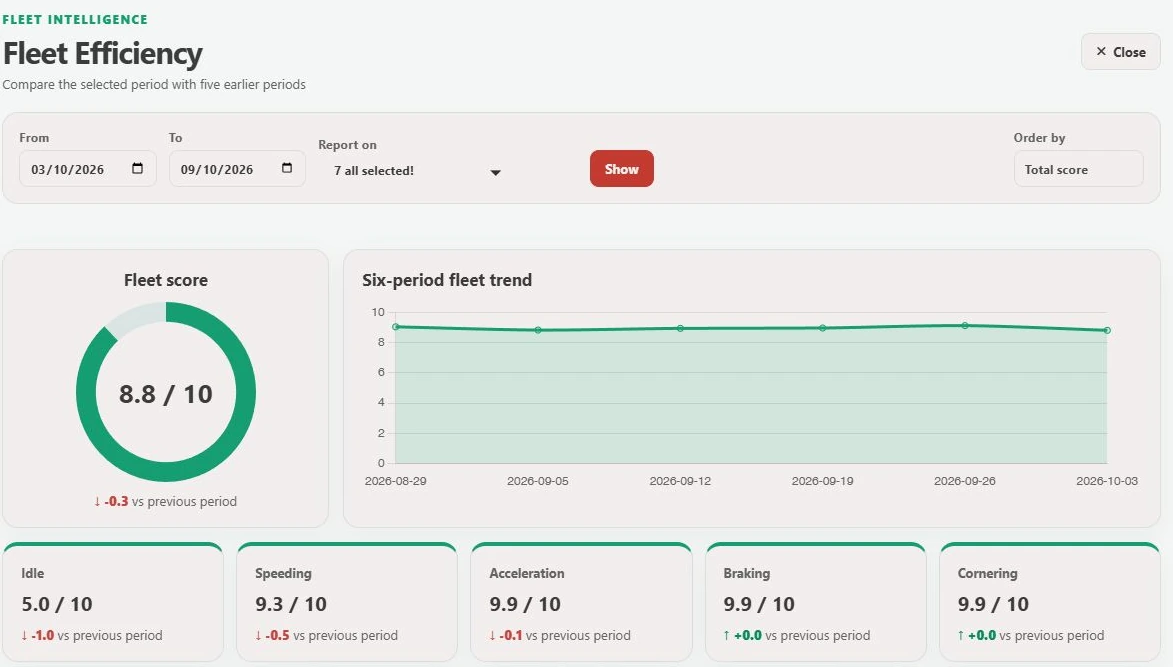
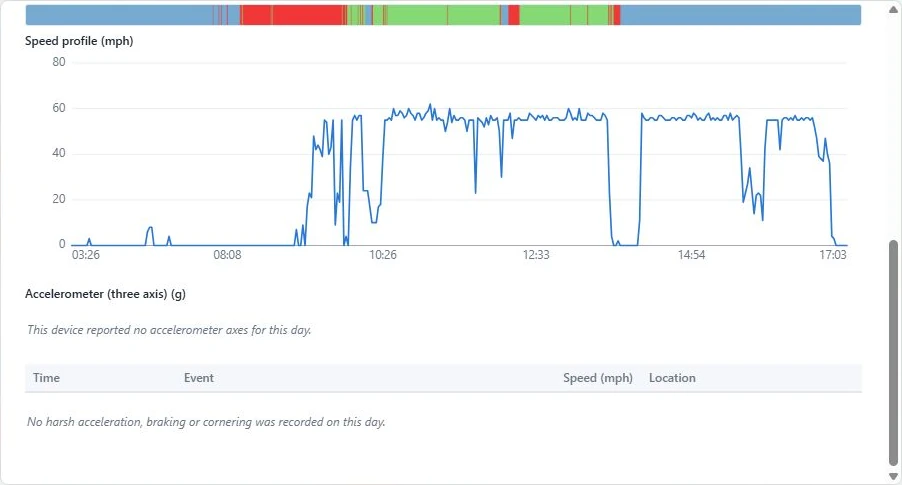
GTrak’s report catalogue includes mileage, start/stop, idling, timesheets, site visits, behaviour exceptions and specialist options. Choose reports around decisions your team needs to make. Availability and fields depend on your modules and equipment.
- Name the question each report should answer.
- Select a consistent period, vehicle group and units.
- Assign an owner and a review frequency.
- Record actions and revisit them at the next review.
Keep the routine manageable
Remove reports that nobody uses, refine noisy exceptions and add detail only when it answers a real question. A small reporting routine that leads to decisions is easier to sustain than a large dashboard that nobody has time to interpret.
From explanation to a working example
See it for your fleet.
Talk to GTrak about your vehicles, available data and the tools your team needs.