See the driver’s day
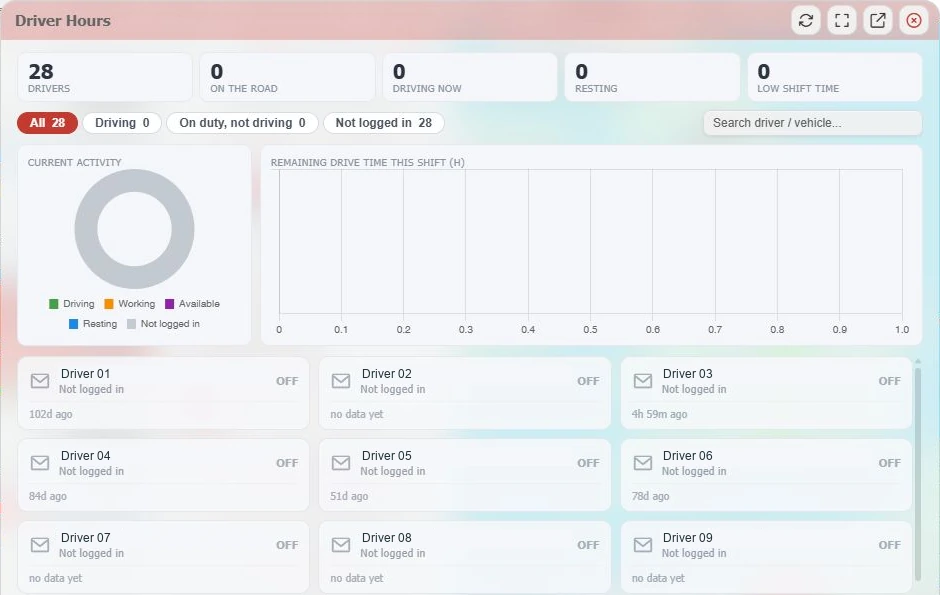
Review current activity and available remaining shift-driving information. Check the last update before allocating the next job.
Explore driver hours ↗
Connected fleet. Confident decisions.
Know where your fleet is. Understand what it costs.
Keep your drivers, vehicles and business moving.
Keeping businesses connected.
On the road. Every day.
Less guesswork. More control.
From a late arrival to rising fuel use, get beyond the location pin and into the detail that helps you run a better operation.
See locations, vehicle status and recorded journeys. Find the detail behind a customer query without another round of phone calls.
Live tracking & replay ↗02 / RUNNING COSTSPut fuel, AdBlue, mileage and idling in context. Compare similar vehicles and use supported CAN data to ask better questions.
Fuel & vehicle insight ↗03 / DRIVER WORKFLOWSBring driver activity, remote tachograph files and vehicle-check reporting together. Keep the office closer to what needs attention.
Driver hours & tachograph ↗FleetPro Plus. See the whole picture.
Explore the actual GTrak platform, from the morning fleet overview to the last journey of the day.
Take a closer look ↗The big picture
See moving, idling, stopped and offline vehicles together. Go straight from a fleet-wide exception to the vehicles behind it.
Your fleet, in view
Locate vehicles and assets on one map, with movement, speed, last contact and driver information beside each vehicle.
Revisit the working day
Follow a recorded route on the map. Move through the timeline, review stops and idling, and narrow the view to the date and time you need.
Turn insight into action
Compare fleet performance across six reporting periods. See how idling, speeding, acceleration, braking and cornering contribute to the score.
Beyond a location pin
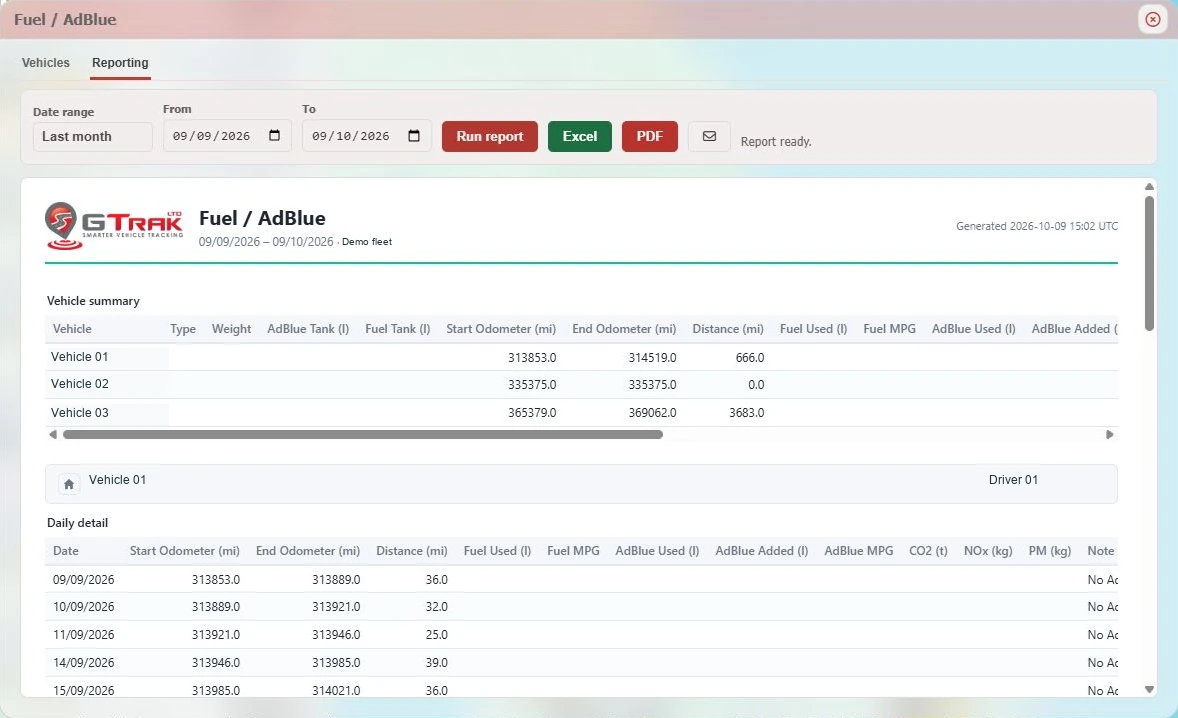
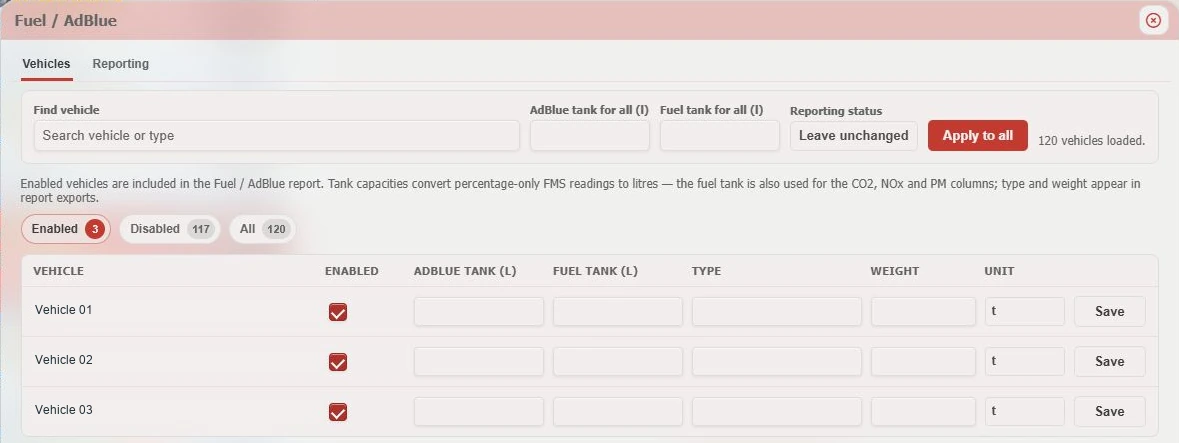
Bring compatible CAN/FMS vehicle data into your fleet workflow, with fuel and AdBlue reporting alongside odometer and journey information.
Plan with driver activity
See current activity, on-road and resting counts, and remaining shift-driving information when compatible tachograph data is supplied.
Less chasing. More control.
Bring remote tachograph files and their processing history into the same platform. Find driver and vehicle files in the searchable archive and follow their processing results.
Give places a purpose
Define sites with circular or polygon fences. Set entry, exit, ignition and speed alerts, then choose the devices and schedules that matter.
Actual platform captures with identifying details removed. Figures are historical examples. Features depend on your plan, vehicle compatibility and installed equipment.
Supported vehicle readings. Practical fleet reporting.
Put running costs under the spotlight
A map tells you where a vehicle has been. Connected vehicle data helps explain the journey: distance covered, fuel used, time idling and the readings your vehicle can supply.
We confirm the signals available on your vehicles before recommending equipment.
Keep the office and the road in step
Driver hours and tachograph downloads serve different jobs. GTrak helps you bring both into your daily workflow.
Review current activity and available remaining shift-driving information. Check the last update before allocating the next job.
Explore driver hours ↗Bring driver-card and vehicle-unit .DDD files into a searchable archive, with processing history and download controls.
Explore remote downloads ↗Live activity supports planning. Downloaded records support review. Build a process that includes analysis and follow-up.
Read the practical guide ↗Built around the vehicles you run
Vehicle data, driver hours and remote tachograph workflows.
02 / VANS & FIELD TEAMSLive locations, site visits, journey history and mileage reports.
03 / CONSTRUCTION & PLANTConnected vehicles, tracked equipment and geofence alerts.
The GTrak knowledge hub
A practical way to connect fuel use, mileage and idling, then turn the findings into a focused improvement plan.
Read the guideUnderstand level, usage and refill information, why tank setup matters, and how to make comparisons useful.
Read the guideSee how current driver activity supports planning, and why it needs to sit alongside records and a proper review process.
Read the guidePeople behind the platform
Based in Wakefield, our team helps you choose the right equipment, understand your vehicle compatibility and put GTrak to work. From installation questions to the reports your office needs, start with a conversation about your fleet.
GTrak combines vehicle tracking, journey replay, geofences, fleet reporting and driver-performance tools, with CAN/FMS vehicle data, fuel and AdBlue reporting, remote tachograph downloads and connected-camera options. Availability depends on your plan and compatible equipment.
Available readings vary by vehicle make, model, year, CAN/FMS interface and installed hardware. We check your fleet and confirm which fuel, AdBlue and odometer signals can be supplied before recommending a setup.
No. The driver-hours view supports planning with current activity and available remaining shift-driving data. Remote downloads collect driver-card and vehicle-unit .DDD records for your review process. Downloads alone do not replace analysis or make an operation compliant.
Yes. Discuss a tracking setup first, then add the tools your fleet needs. Some additions require compatible or extra hardware and a different plan. We explain these requirements before you choose.
Yes. GTrak supplies Thatcham insurance-tracking options for private and commercial vehicles. Confirm the category and installation requirements with your insurer, then speak to our team.
Share your vehicle types, fleet size, current equipment and priorities. Our UK-based team can demonstrate the relevant workflows, confirm compatibility and discuss installation and pricing.
From Wakefield. With you on the road.
Tell us what you run and what you need to know. We’ll show you the tools, the equipment and the setup that fit.