CAN, FMS and OBD: what can your vehicle actually report?
A plain-English introduction to vehicle interfaces, supported signals and the questions to ask before installation.
Read the guide
Get closer to the vehicle
GPS tells you where a vehicle is. Compatible CAN/FMS data helps you understand the vehicle itself — bringing odometer readings, fuel and AdBlue reporting into your fleet workflow.
Connected vehicle information
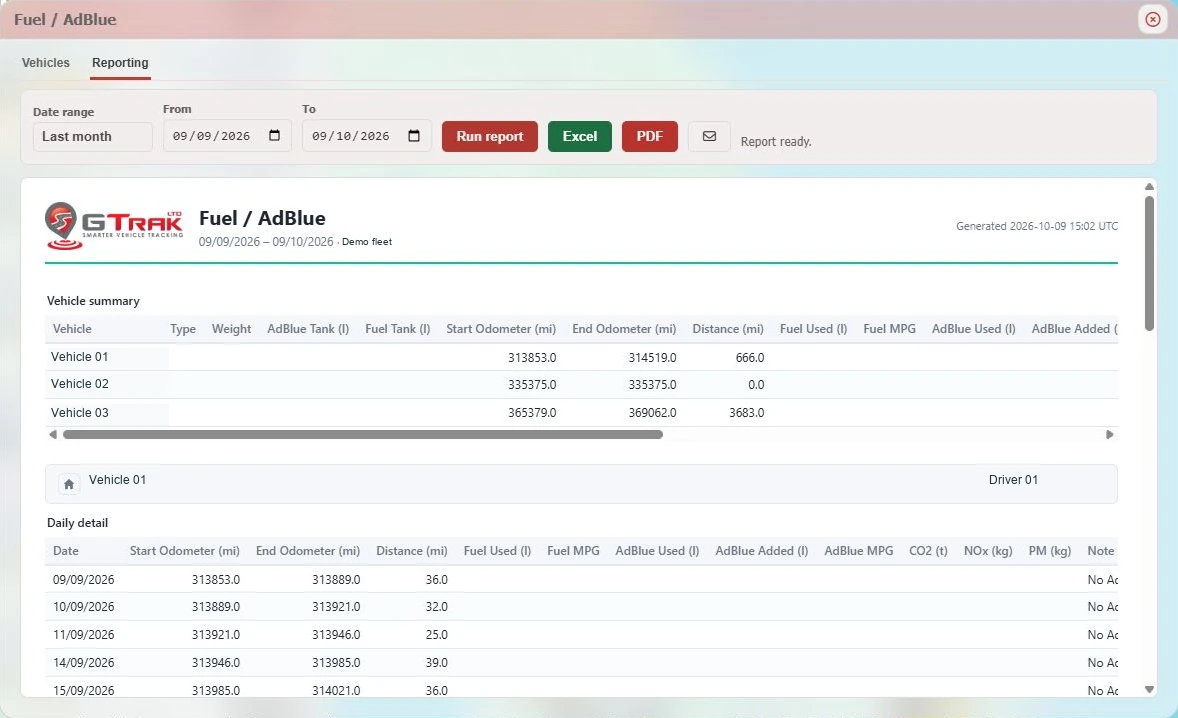
GTrak’s vehicle detail panel includes CAN data alongside device, input/output, BLE and auxiliary information. Fuel and AdBlue reporting brings supported readings together with vehicle mileage over the date range you select.
Move from vehicle summaries to daily detail and export available reports in Excel or PDF. Keep the report focused on the vehicles you enable.
What you can work with
Available readings depend on the vehicle, device, installation and supported CAN/FMS signals.
| Data / report | How it helps your fleet |
|---|---|
| Odometer & distance | Read vehicle mileage and compare start/end odometer values with distance in the reporting period. |
| Fuel usage & MPG | Review fuel consumption and fuel economy where the required vehicle readings are supplied. |
| AdBlue | Report AdBlue usage, additions and its relationship to fuel consumption where supported. |
| Tank capacities | Configured fuel and AdBlue capacities help convert percentage-based FMS readings into litres. |
| Emissions fields | Review report fields for CO₂, NOx and PM when the required inputs are available. These are calculated report outputs, not direct emissions measurements. |
| Vehicle status | Bring supported CAN state information together with tracking, power and device status. |
| Export options | Use available Excel and PDF exports for fleet review and onward reporting. |
Fuel & AdBlue setup
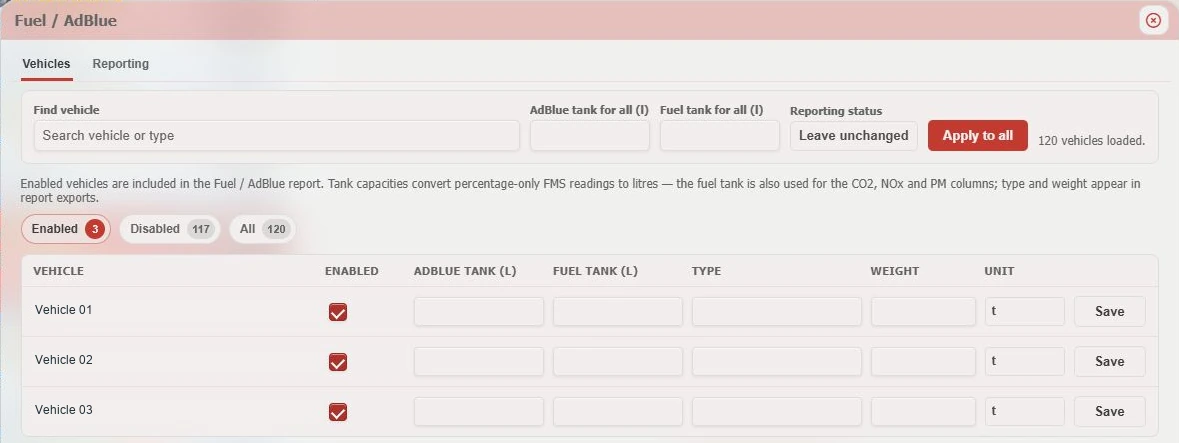
The vehicle setup view lets you enable reporting for selected vehicles and configure fuel and AdBlue tank capacities. Percentage-based FMS readings can then be converted into litres.
Vehicle type and weight fields provide context for calculated emissions outputs. Choose a reporting period, review the available usage and refill data, then export to Excel or PDF.
The right setup first
A little more know-how
A plain-English introduction to vehicle interfaces, supported signals and the questions to ask before installation.
Read the guideUnderstand level, usage and refill information, why tank setup matters, and how to make comparisons useful.
Read the guideA practical way to connect fuel use, mileage and idling, then turn the findings into a focused improvement plan.
Read the guideLet’s look at your fleet
Talk to GTrak about CAN/FMS compatibility and the reports that matter to your operation.