Driver & vehicle files
Bring driver-card and vehicle-unit .DDD downloads into a shared workflow.

Connected tachograph workflows
Bring remote driver and vehicle-unit downloads into the same platform as your fleet tracking. See the files, follow their processing and keep the office closer to your tachograph workflow.
From download to visibility
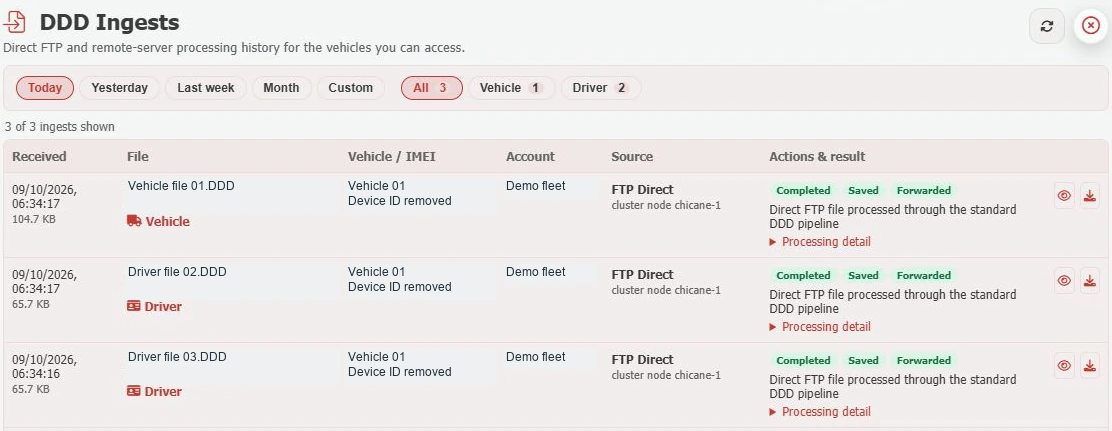
The DDD Ingests view shows driver and vehicle files received through direct FTP and remote-server processing. Filter by date or file type, inspect the processing detail and see completed, saved and forwarded results.
File-view and download controls keep your archive accessible to the people managing the fleet.
Bring the workflow together
Remote-download availability depends on the tachograph, device and company-card authentication setup.
Bring driver-card and vehicle-unit .DDD downloads into a shared workflow.
See received files, their source and the result of processing, with detail for each ingest.
Focus on a day, week, month or custom period, and switch between driver and vehicle files.
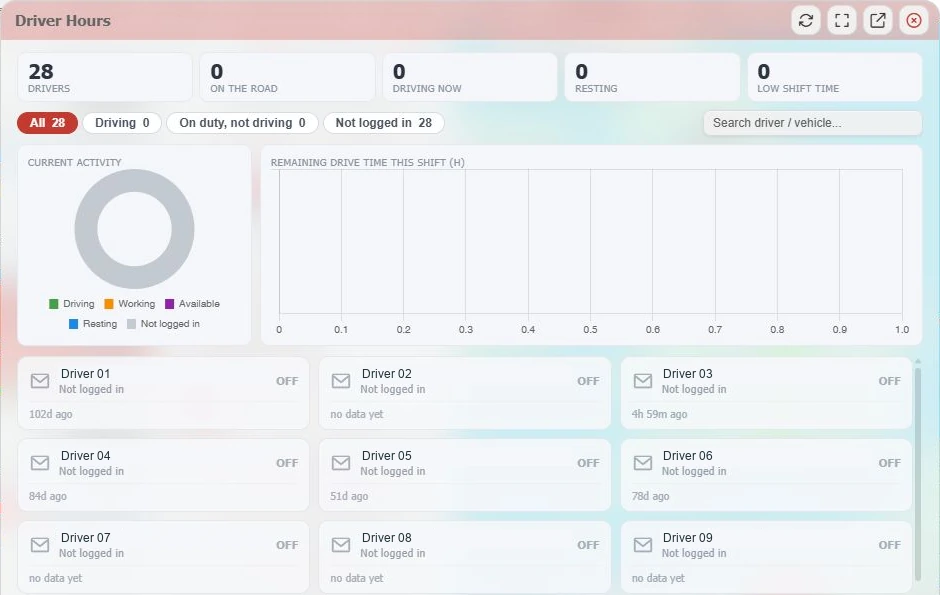
The Driver Hours view presents current activity and available shift-driving information where supported data is supplied.
Use the report catalogue’s tachograph-event option alongside your other vehicle reports.
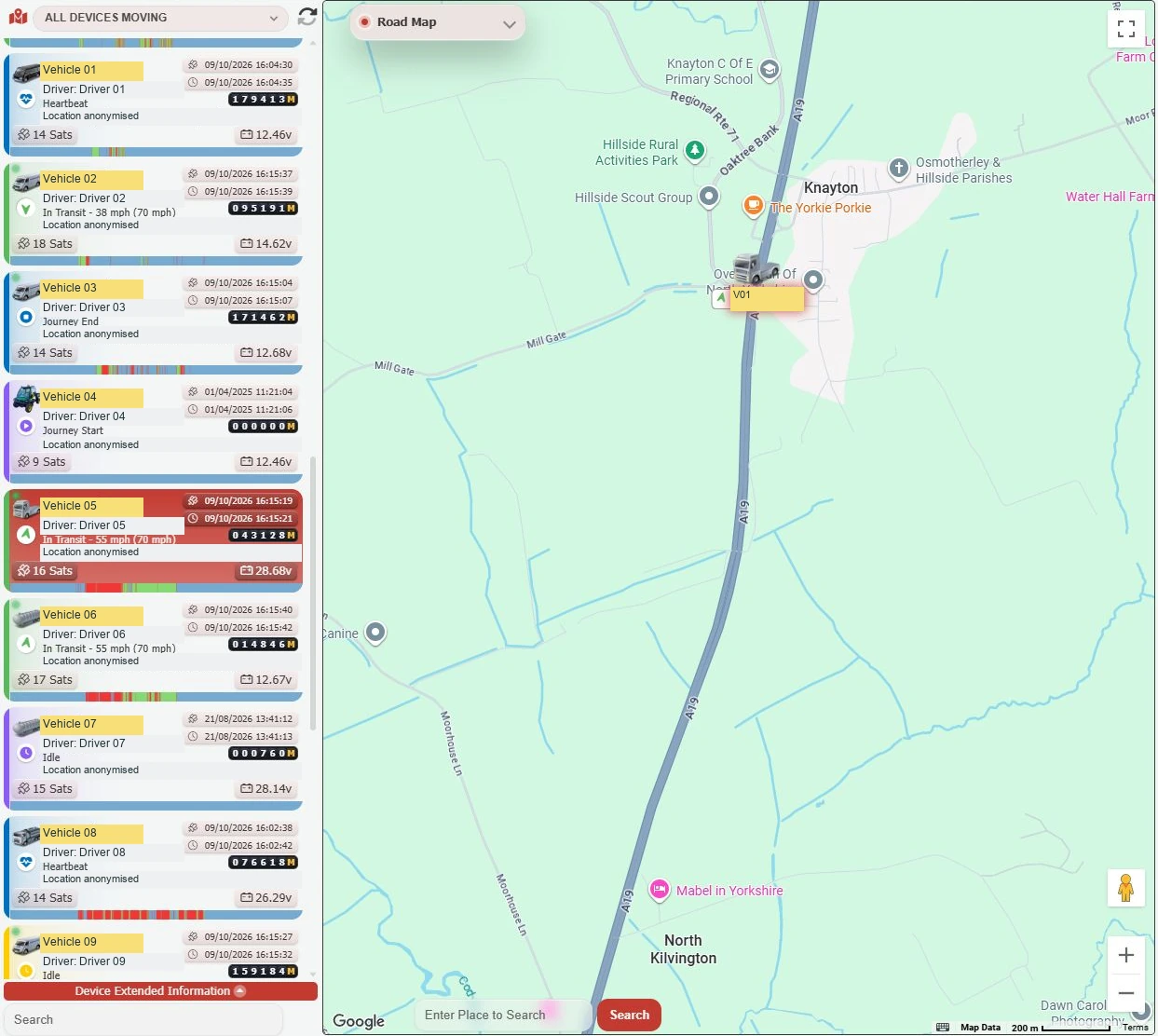
Keep location, journey status and tachograph information within the same platform.
From files to the working day
The Driver Hours view brings current activity, summary counts and available remaining shift-driving information into focus. Search by driver or vehicle and filter the view to the activity you need.
The separate DDD archive lets you search by vehicle, date and driver or vehicle file type, with individual and batch download controls.
Getting connected
Collection is the start of the process
A received file is useful evidence of collection. Your operation still needs a dependable process for analysis and action.
For the relevant goods-vehicle operations, DVSA specifies driver-card downloads at least every 28 calendar days and vehicle-unit downloads at least every 90 calendar days, with earlier downloads in some circumstances. Read the full operator responsibilities guidance when setting your process. Downloading alone does not guarantee compliance.
A little more know-how
How driver-card and vehicle-unit files, authentication, download checks and an archive fit together.
Read the guideSee how current driver activity supports planning, and why it needs to sit alongside records and a proper review process.
Read the guideA practical checklist for comparing platforms, equipment, installation and ongoing support around your own working day.
Read the guideA clearer tachograph workflow
See remote tachograph download and processing in a live GTrak walkthrough.