A tank percentage is not a consumption figure. Understand the signal, tank capacity and reporting period before acting on a change.
Level, usage and additions are different
AdBlue is used by selective catalytic reduction systems to help control exhaust emissions on relevant diesel vehicles. For a fleet manager, the useful questions are operational: what is available, what changed over the period, and which vehicle needs a closer look?
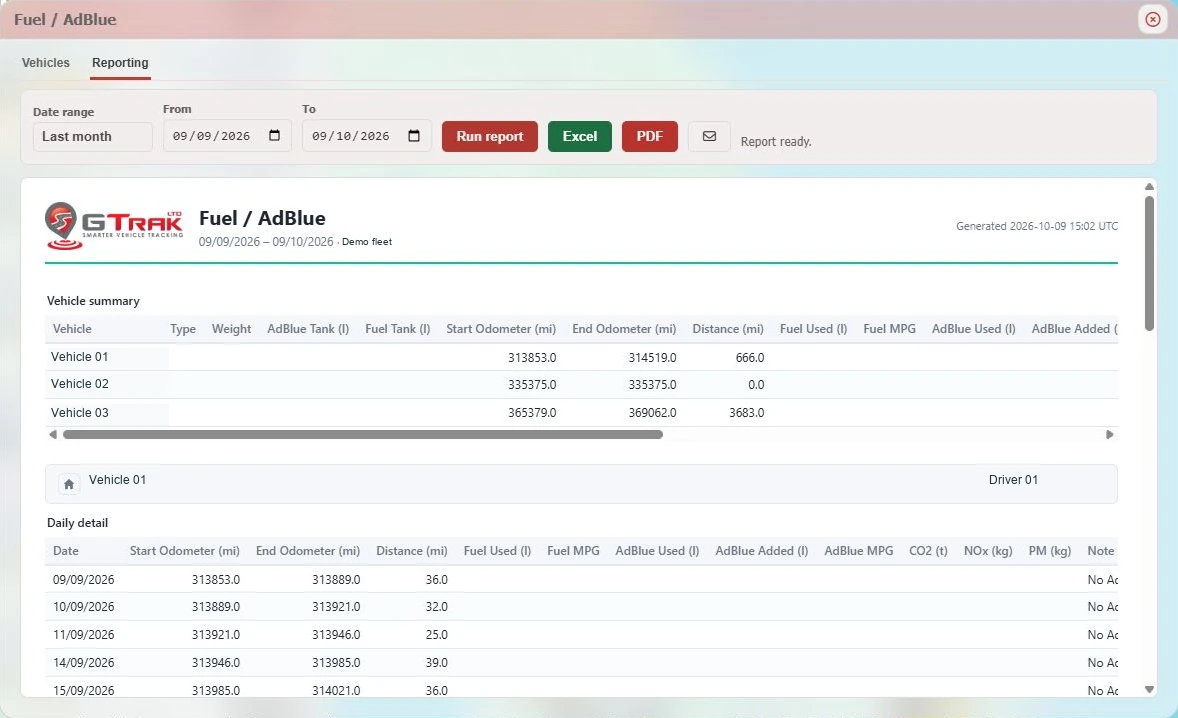
A level reading describes the tank at a point in time. Usage describes consumption over a period, where the required data is available. An addition describes a reported increase or refill. Mixing these up can turn a routine top-up into an apparent change in efficiency. Check what each column means before comparing vehicles.
Give a percentage the right context
If a source supplies a percentage, the configured tank capacity is needed to express that level in litres. GTrak’s setup view includes fuel and AdBlue capacities and reporting enable controls. A missing or incorrect capacity makes the resulting litres unreliable.
Use the actual vehicle specification, including any relevant tank changes. A percentage-point movement in one tank is not the same volume as the same movement in a different-sized tank. Our published setup capture shows unconfigured fields, rather than a configured customer fleet.
Review patterns before diagnosing a fault
Compare the same vehicle across similar work, then examine AdBlue alongside distance and fuel usage. Route, load, temperature and the vehicle’s emissions system can affect the relationship. One unusual period is a prompt to investigate, not proof of a particular defect.
Missing readings, offline devices and refills around a reporting boundary can complicate interpretation. Start by checking the data and speaking to the driver or workshop. Dashboard warnings and manufacturer maintenance instructions remain part of the vehicle’s operating process.
- Confirm that the vehicle supplies an AdBlue signal.
- Check units and configured tank capacity.
- Review the reporting dates, mileage and fuel data together.
- Refer unexplained changes to the workshop with the supporting context.
Confirm availability before choosing a tracker
AdBlue reporting depends on the vehicle, supported CAN/FMS signals, installation and device. GPS tracking alone cannot provide it. Share your vehicle list with GTrak so we can confirm what is available and demonstrate the relevant reports.
From explanation to a working example
See it for your fleet.
Talk to GTrak about your vehicles, available data and the tools your team needs.